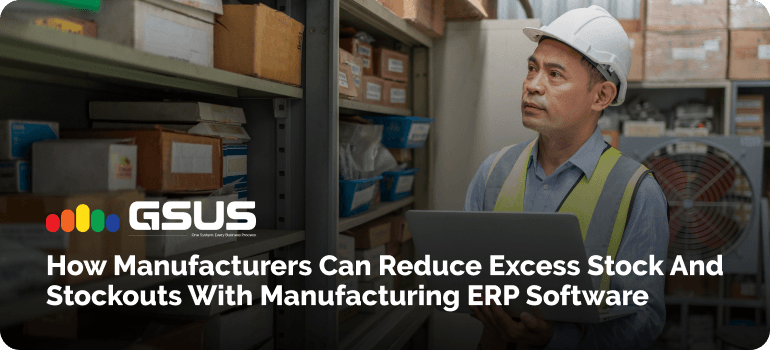
Walk through almost any factory and you'll notice an odd pairing. One corner is stacked with raw material nobody has touched in months, while the line next to it waits on a single missing component.
Both are inventory problems. One locks up cash; the other stops output and pushes delivery dates.
Most of the time it isn't carelessness. Stock lives in spreadsheets, purchasing works from last month's numbers, and the shop floor hears about a shortage only when a job stalls. This guide explains why that happens, what it costs, and how Manufacturing ERP Software connects inventory, purchasing and production so the guesswork shrinks. We'll focus on Odoo, because it's what we implement every day at GSUS.
What Causes Excess Stock and Stockouts in Manufacturing?
The causes are usually a mix, and they feed each other.
Weak demand forecasting. Sales estimates are often a hopeful number rather than a calculation. Buy to the optimistic figure and you overstock; buy to the cautious one and you run short.
Overstocking just in case. After one painful shortage, planners pad every order. It feels safe, until it becomes the habit.
No real-time visibility. When stock sits across several warehouses and nobody sees the combined picture, one site reorders what another already has idle.
Disconnected teams. Purchasing doesn't know what production has scheduled, and production doesn't know what sales promised.
Manual tracking. A count updated at the end of the week is already out of date by Tuesday.
Moving targets. Rush orders, design changes, and a supplier who quotes two weeks and delivers in four.
Here's an illustrative picture. A fabrication shop buys steel sheets in bulk for a better price, then a customer revises a design and the sheets sit unused. Meanwhile a small fastener nobody tracked closely runs out and holds up the whole assembly. Same plant, both problems, one week.
How Excess Inventory and Stockouts Affect Manufacturing Operations
The costs land in different places. Excess stock means storage space, handling, insurance and cash tied up on shelves, plus slow-moving or obsolete material that often ends up written off.
Stockouts mean idle labour, machine downtime, expedited freight at premium rates, missed deadlines and customers who quietly start calling someone else.
Both also distort purchasing. Buying in a panic rarely gets the best price, and buying to be safe fills the warehouse with things you didn't need.
How Manufacturing ERP Software Helps Reduce Excess Stock and Prevent Stockouts
Before getting into Odoo, here's what any decent manufacturing ERP software should do:
- Keep one live stock count across warehouses, so everyone works from the same numbers.
- Calculate material requirements from sales orders, forecasts and production plans rather than gut feel.
- Automate reordering with minimum and maximum rules.
- Track supplier lead times and the status of open purchase orders.
- Flag slow-moving and dead stock before it ages further.
- Link inventory to manufacturing and sales orders, so a change in one shows up in the others.
That's the gap between Inventory Management Software for Manufacturing and a standalone stock sheet. Good stock control software doesn't only record what's on the shelf; it connects that number to what's coming in and what's needed next.
How Odoo ERP Helps Manufacturers Improve Inventory Management
Odoo ERP for manufacturing covers those needs through connected apps rather than separate tools.
Odoo Inventory: Track Raw Materials, Work in Progress and Finished Goods
Stock moves through locations and operations, so you can see raw materials, work in progress and finished goods without stitching sheets together.
Odoo Reordering Rules: Maintain Optimum Stock Levels
Set a minimum and maximum per product. When forecasted stock falls below the minimum, Odoo proposes or creates a replenishment up to the maximum.
Odoo Manufacturing: Plan Material Requirements for Production Orders
A production order pulls its components from the bill of materials and shows whether they're available. Used this way, it works as practical Production Planning Software and MRP software in one place.
Odoo Purchase: Coordinate Procurement with Actual Material Needs
Vendor lead times feed planned dates, so purchase orders reflect when material must arrive, not when someone remembered.
Odoo Barcode: Improve Stock Movement Accuracy
Scanning receipts, transfers and counts cuts typing mistakes, which keeps your records trustworthy.
Odoo Reporting: Monitor Inventory Turnover and Stock Ageing
Valuation and inventory reports show what's moving and what isn't. Some views depend on your Odoo version and setup, so confirm what you need during scoping.
Connect Inventory, Manufacturing, Purchase and Sales in One System
This is the real payoff. On a single Enterprise ERP Platform, a sales order can create a production need, which creates a purchase, with no re-keying between teams.
How to Set the Right Inventory Levels for Raw Materials and Finished Goods
Raw material inventory management comes down to a few numbers you should actually calculate. The reorder point is the stock level at which you place a new order:
Reorder point = (average daily usage × supplier lead time in days) + safety stock
A simple illustration: use 40 units a day with a 10-day lead time and your lead-time demand is 400 units. Add 120 units of safety stock and you reorder at 520.
Safety stock should reflect variability, not fear. One common method is (maximum daily usage × maximum lead time) − (average daily usage × average lead time). Steady demand and a reliable supplier need little; erratic demand or a late supplier needs more.
A few more habits help:
- Use minimum and maximum levels so reordering doesn't overshoot, and respect supplier minimum order quantities.
- Tie planning to BOMs, so component needs follow real production rather than last year's averages.
- Apply ABC classification. Keep tight control on the few high-value materials and lighter control on the rest.
- Adjust for seasonality and long-lead items. Review them more often and order earlier.
How to Reduce Excess Stock Without Disrupting Production
Start with data, not a clear-out. Pull a report of materials with no movement in six or twelve months and check each against upcoming BOMs. Some are obsolete; some are simply slow. Then:
- Plan from actual production requirements, not habit.
- Compare purchase quantities against supplier minimums. A bigger order isn't always worth the carrying cost.
- Look at work in progress. Half-finished batches waiting between stages are inventory too.
- Bring inventory reports into purchasing meetings so buying decisions rest on usage.
How to Prevent Stockouts and Keep Manufacturing Production on Schedule
To prevent raw material stockouts, check before you commit:
- Confirm material availability before confirming production orders.
- Plan procurement backward from the date production needs the material.
- Track incoming materials and open purchase orders, so you know what's really on its way.
- Set low-stock alerts for critical components, especially those with no substitute.
- Check other warehouses first. Stock at a second site is a shortage solved by a transfer, not a purchase.
Inventory KPIs Manufacturers Should Track to Improve Stock Control
You can't improve what you don't measure. Keep the list short:
- Inventory turnover ratio: cost of goods sold divided by average inventory.
- Days inventory outstanding: average inventory divided by cost of goods sold, times 365.
- Stockout frequency and rate: how often, and how much demand, you couldn't meet.
- Inventory accuracy: the percentage of records matching a physical count.
- Excess and slow-moving stock value: money sitting still.
- Supplier lead-time performance: promised versus actual.
- Order fulfilment rate: orders shipped complete and on time.
Watch trends month to month rather than a single figure.
How to Implement Odoo ERP for Better Manufacturing Inventory Control
A good implementation partner earns its keep in the unglamorous steps. A sensible rollout usually looks like this:
- Audit current inventory and find where control breaks down.
- Configure warehouses, routes and product categories to mirror how your plant really runs.
- Set reordering rules and procurement workflows, starting with critical items.
- Connect BOMs with production planning.
- Migrate data and validate opening stock with a physical count.
- Train your teams and review performance after go-live.
One honest caveat: results depend on data quality, supplier reliability, demand variability and how well your team adopts the system. No ERP guarantees a fixed reduction in stock. It gives you the visibility and controls to manage it. To see how we approach this, visit our Manufacturing ERP Service page.
Take Control of Your Manufacturing Inventory with GSUS Star Software Solutions
Excess stock and stockouts rarely come from separate problems. They come from the same gap between what you have, what you've ordered and what production needs.
Connecting those with Odoo means decisions rest on current numbers instead of last month's spreadsheet. As an Odoo Silver Partner, GSUS Star Software Solutions builds around your workflows, your BOMs and your stock control needs rather than a generic template.
Book a Manufacturing ERP Demo with GSUS Star Software Solutions and see how it would work on your own materials and processes.