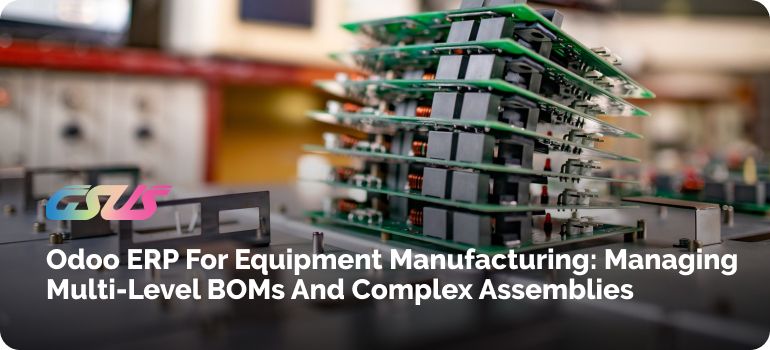
Building a mixer, a conveyor line, or a hydraulic press is nothing like making a batch of identical widgets.
One machine can hold hundreds of components, a dozen subassemblies, a few purchased modules with long lead times, and a spec the customer changes halfway through. Somebody must keep all of that straight.
In a lot of workshops, somebody is a person with a very large Excel file. It works until it doesn't: a revised drawing never reaches purchasing; the shop floor builds from an old parts list, and one missing bearing stops an assembly that was otherwise ready.
That's where a Manufacturing ERP System earns its value. In this guide we'll walk through how Odoo ERP for equipment manufacturing ties BOMs, inventory, procurement, production, quality and costing together, and where you should be careful.
Why Multi-Level BOM Management Is Hard for Equipment Manufacturers
Equipment isn't a flat parts list. You have parent and child components, subassemblies inside subassemblies, custom configurations, frequent design changes, and long lead times on items like castings and motors.
That's why Multi-level BOM Management for equipment manufacturers becomes an operational problem, not a spreadsheet chore.
Subassemblies and Dependencies
A gearbox needs its own parts, its own operations, and its own lead time. If the main machine's BOM doesn't show that, planners won't realize the gearbox has to be finished before the final assembly can even start.
Custom Configurations and Variants
One customer wants a bigger motor; another wants a longer frame. Every choice changes the component list, and small mistakes multiply quickly.
What Is a Multi-Level BOM in Equipment Manufacturing?
A Bill of Materials lists what goes into a product. A single-level BOM is a flat list: the finished product, then everything it needs. That's fine for a simple item.
A multi-level BOM nests in the list. The parent's product has child components, and some of those children are subassembly with BOMs of their own, all the way down to raw materials and purchased parts.
For industrial equipment, this structure mirrors how the machine is built and bought, which is why it matters so much in complex assembly manufacturing.
Common BOM Problems in Equipment Manufacturing
The usual suspects are wrong component quantities, outdated or duplicate BOMs, missing subassemblies, and material calculations done by hand.
A wrong quantity means you find the shortage on assembly day. An outdated BOM means the shop built last year's design.
Excel makes this worse as complexity grows. Files get copied and emailed; versions drift apart, and nobody's sure which one is current.
There's no real visibility into material requirements, and tracking who changed what, and why, turns into guesswork.
How Odoo ERP for Equipment Manufacturing Manages Multi-Level BOMs
Odoo's Manufacturing app (often called Odoo MRP) keeps products, BOMs, inventory and production in one database. That's the whole point. Odoo BOM management runs on a few simple ideas.
You create a BOM for the finished product and add components with exact quantities. If a component is itself a subassembly, it gets its own BOM, and that's how you build a multi-level structure without any special trick.
The BOM Structure & Cost report lets you expand the tree and see every level with quantities and costs. You can also attach operations to the BOM, each tied to a work center, so the routing (what gets done, where, and roughly how long it takes) sits right beside the parts list.
The practical benefit is one BOM per product structure, maintained in one place, and used by purchasing, stores, and production alike.
How Odoo Connects Multi-Level BOMs With Manufacturing Orders
Here's the chain in plain terms: a sales or production requirement leads to a manufacturing order, the BOM tells Odoo which components are needed, and work orders schedule the operations at each work center until the finished equipment is done.
When you confirm a manufacturing order, Odoo explodes the BOM and reserves whatever components are in stock.
If a subassembly is configured to be made on demand, Odoo can create child manufacturing orders for it automatically, so multi-level production flows through without anyone re-keying data. Work orders then break the job into steps for the shop floor.
Product Variants, Custom Assemblies and Make-to-Order Work
Not every machine leaves the factory identical. In Odoo, a BOM can apply to specific product variants, and individual component lines can be limited to certain variants.
So, a 7.5 kW drive and an 11-kW drive can share one BOM while pulling different motors.
For make-to-order equipment manufacturing, a confirmed sales order can trigger production directly. Engineer-to-order is harder, because the design isn't finished when the order arrives.
Odoo can support it, but you need a defined process first: a draft BOM for the customer, engineering sign-off, then release to production. Plan that workflow before you configure anything.
Inventory and Procurement Built Around the BOM
This is where an integrated setup starts to pay off. Because the BOM sits next to stock, a manufacturing order shows component availability before you release it.
Shortages show up early, not on the day someone walks to the rack and finds it empty.
Procurement then follows demand. Reordering rules and make-to-order routes can turn requirements into purchase orders, using the supplier lead time you've entered on the product.
Purchasing works from real production demand, not a spreadsheet someone exported on Monday. Larger shops can add the Master Production Schedule (Enterprise) to plan further ahead. The result is fewer last-minute purchases and less money sitting in parts you didn't need yet.
Planning, Costing, Quality and Traceability
Production planning
Work centers carry capacity, working hours, and an hourly cost, so you can schedule work orders against real capacity instead of optimism. Combined with component availability, production planning stops being guesswork.
Cost tracking
Odoo rolls component costs and work center time through the BOM, so you can see what a subassembly costs, not just the finished machine. Work orders record actual time, which lets you compare estimated and actual cost. It's only as good as your data, though. Bad standard costs in, bad reports out.
Quality control and traceability
With the Quality app (Enterprise), you can add control points to specific operations, like a weld measurement or a torque check, and raise quality alerts before final assembly.
Lot and serial number tracking then link components to the manufacturing order and the finished machine. If a supplier batch turns out faulty, you can see which machines received it, which helps a lot with after-sales service and warranty work.
Odoo vs Excel for Multi-Level BOM Management
| Excel-Based Approach | Odoo ERP Approach |
|---|---|
| Separate BOM files | Centralized BOM data |
| Manual updates | Connected workflows |
| Hard-to-track revisions | Structured product information |
| Manual material calculations | Integrated material requirements |
| Limited production visibility | Inventory and manufacturing connected |
Excel isn't the enemy. For a few simple products it's fine. It starts hurting when BOMs run several levels deep, variants pile up, and purchasing and production keep asking which file is right.
For many shops, Odoo ERP for equipment manufacturing is the natural next step once that happens.
The bigger win is the flow itself: customer requirement, sales, configuration, BOM, procurement, inventory, manufacturing, quality, delivery, after-sales.
With centralized data, every department sees the same numbers. That's what an integrated enterprise ERP means in practice.
Connecting Sales, Engineering, Procurement, Inventory and Manufacturing
The bigger value of Odoo ERP for equipment manufacturing isn't any single module. It's that the customer requirement, product configuration, BOM, purchase, stock move, production, quality check, delivery and service record all sit in one flow.
Finance sees the same data as the shop floor. With an Enterprise ERP working from centralized data instead of everyone's private copies, arguments about whose number is right mostly disappear.
What Should Equipment Manufacturers Look for in a Manufacturing ERP?
When comparing Manufacturing ERP Software, be specific. Check for:
- Real multi-level BOM handling, including nested subassemblies
- Variant and configuration management
- Planning and scheduling against capacity
- Inventory and procurement integration
- Engineering change control
- Cost tracking, quality and traceability
- Reporting your team will actually use
Ask every vendor to demo your product structure, not theirs.
Is Odoo ERP Suitable for Small and Mid-Sized Equipment Manufacturers?
Often yes, with conditions. Odoo is modular, so a mid-sized manufacturer can start with Manufacturing, Inventory and Purchase and add Quality or PLM later.
Odoo for equipment manufacturers suits companies with moderately complex products who want one connected system instead of five separate tools.
It's a weaker fit when processes are highly unusual, customization needs are heavy, or deep integration with legacy systems is required. Each of those adds scope and cost, and no single ERP is right for everybody. Odoo ERP for equipment manufacturing works best when the team plans implementation carefully, cleans its data, and takes user adoption seriously.
As an Odoo Silver Partner, GSUS would tell you the same thing: the software is rarely the hard part. Mapping the real workflow is.
Common Multi-Level BOM Management Mistakes to Avoid
- Keeping multiple versions of the same BOM
- Defining subassemblies loosely
- Ignoring component dependencies
- Leaving BOMs disconnected from inventory
- Not updating BOMs after engineering changes
- Planning production without checking material availability
- Keeping engineering and production data separately
- Implementing ERP without mapping the actual manufacturing workflow
That last one deserves underlining. If the system mirrors how the process is supposed to work rather than how it really works, people go back to their spreadsheets within weeks.
How to Implement Odoo ERP for Complex Equipment Manufacturing
A solid Odoo ERP for equipment manufacturing project usually follows this order:
- Map the current workflow. Follow an order from quote to shipped machine, including the messy parts.
- Identify BOM and assembly complexity. Count the levels, variants and custom parts.
- Configure Manufacturing, Inventory and Purchase around that map.
- Migrate product and BOM data. Clean it first. Don't import the duplicates.
- Test real workflows. Run an actual machine order through before go-live.
- Train production and operations teams, with hands-on time for the shop floor.
- Review after go-live. Real use always exposes a few gaps.
Build a More Connected Equipment Manufacturing Process With Odoo ERP
The goal is a clear line from BOM to inventory, procurement, production, quality, costing, delivery and service, without retyping data at each step.
If you're weighing Odoo ERP for equipment manufacturing, start with your workflow, not the feature list.
That's how GSUS, a Silver Partner of Odoo, approaches it: understanding your existing workflow, mapping your current BOM and production structure, identifying process gaps, configuring Odoo around how your business actually runs, and supporting implementation and user adoption.
Planning to implement Odoo for your equipment manufacturing business? Talk to the GSUS team about your BOM, production, inventory, and procurement workflow.